

Halo, kalau kamu merasa tulisan saya ngebantu kamu, kamu bisa ucapkan terima kasih lewat saweria.
If you feel this website help you, you can donate at saweria.
Yang Sudah Harus Kamu Install
mkdocs-material, bisa pull [image mkdocs-material](docker pull squidfunk/mkdocs-material)
Untuk cara penggunaan mkdocs, silakan kunjungi mkdocs documentation
How To
Setup mkdocs.yml
site_name: Docs
site_url: https://docs-kamu.com/
theme:
  pallete:
    scheme: slate
  name: material
  language: id
  #you can put logo and favicon in folder docs/assets
  #logo: assets/logo.png
  #favicon: assets/logo.ico
  features:
    - content.code.copy
    - content.code.annotate
nav:
    - Home: index.md
    - Collection: collection.md
    - About: about.md
plugins:
  - search
markdown_extensions:
  - pymdownx.highlight:
      anchor_linenums: true
  - pymdownx.inlinehilite
  - pymdownx.snippets
  - pymdownx.superfences
Buat Dockerfile. Kita akan pake multi-stage build.
Pertama, pull mkdocs-material dari squidfunk untuk build folder docs
Kedua, pull nginx:latest untuk serve folder build yang dihasilkan sama mkdocs-material
FROM squidfunk/mkdocs-material:latest as docs

# Build-time flags
ARG WITH_PLUGINS=true

# Environment variables
ENV PACKAGES=/usr/local/lib/python3.11/site-packages
ENV PYTHONDONTWRITEBYTECODE=1

WORKDIR /app

COPY . /app

RUN ["mkdocs", "build"]

FROM nginx:latest as webserver
LABEL "website.name"="docs-kamu.com"
LABEL "desc"="Documentation"
LABEL "maintainer"="ipang777"
EXPOSE 80

COPY --from=docs /app/site /usr/share/nginx/html
Build dengan
docker build -t docs-image . --no-cacheJalankan dengan
docker run -p 81:80 docs-image
Push Image ke GHCR (Github Container Registry) dengan Github Actions
Buat file di .github/workflows/create-image.yaml
name: doc create images
on:
    push:
        branches: master

env:
    REGISTRY: ghcr.io
    IMAGE_NAME: ${{ github.repository }}

jobs:

  #start update to server actions
  build-image-at-ghcr:
    runs-on: ubuntu-latest

    steps:
      - name: checkout repo
        uses: actions/checkout@v2

      - name: log in container registry
        uses: docker/login-action@v1
        with:
            registry: ${{ env.REGISTRY }}
            username: ${{ github.actor }}
            password: ${{ secrets.GITHUB_TOKEN }}

      - name: extract metadata (tags, labels) for docker
        id: meta
        uses: docker/metadata-action@v3
        with:
            images: ${{ env.REGISTRY }}/${{ env.IMAGE_NAME }}


      - name: build and push docker image
        uses: docker/build-push-action@v2
        with:
            context: .
            file: Dockerfile
            push: true
            tags: ${{ steps.meta.outputs.tags }}
            labels: ${{ steps.meta.outpus.labels }}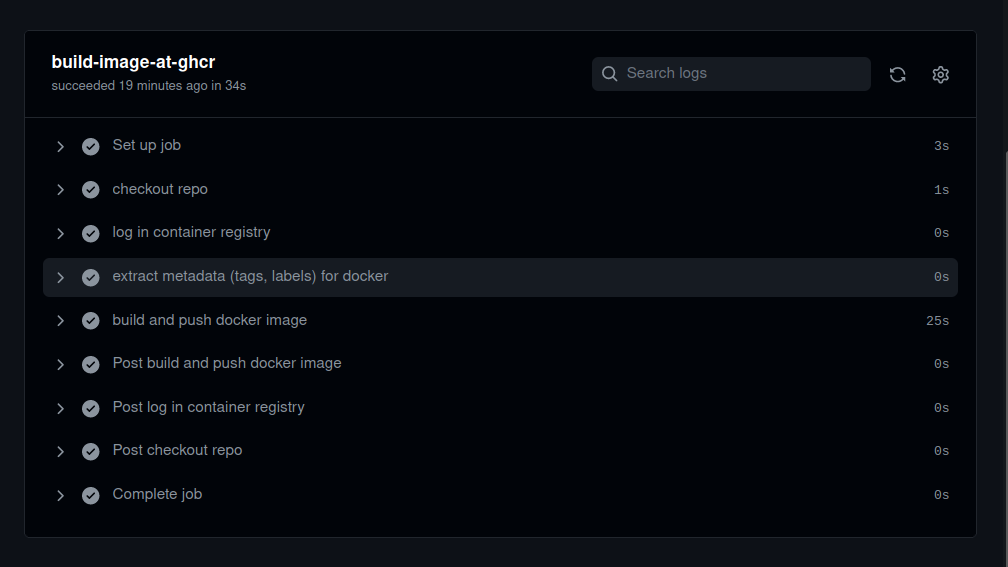
Dengan Bypass Cloudflare Proxy, Lebih Cepat Beberapa ms
Dengan Bypass Cloudflare Proxy, Lebih Cepat Beberapa ms
Buat file docker-compose.yml
version: '3.3'

services:
  docs:

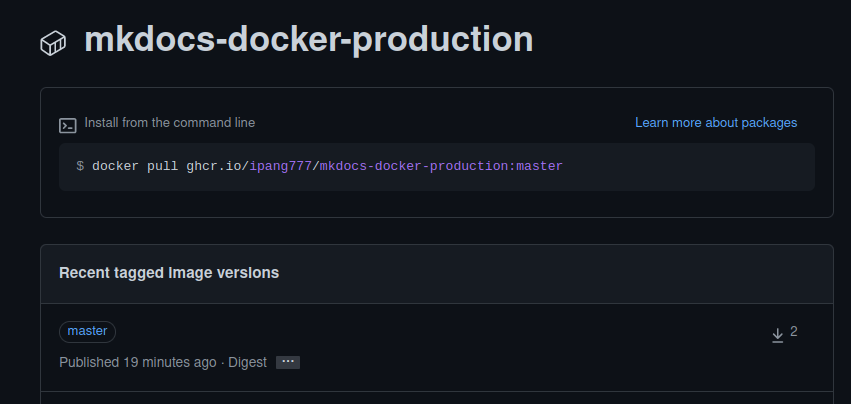
    image: ghcr.io/ipang777/mkdocs-docker-production:master
    container_name: docs-tr
    restart: always
    ports:
      - "81:80"
    networks:
      - docs-net

networks:
  docs-net:
Jalankan
docker-compose up -d, bukalocalhost:81di browserSemua file di tutorial ini ada di github.com/ipang777/mkdocs-docker-production