

Halo, kalau kamu merasa tulisan saya ngebantu kamu, kamu bisa ucapkan terima kasih lewat saweria.
If you feel this website help you, you can donate at saweria.
The Problem
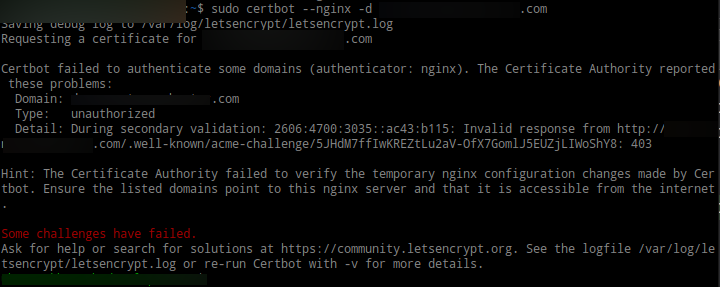
Error When Install New Certificate
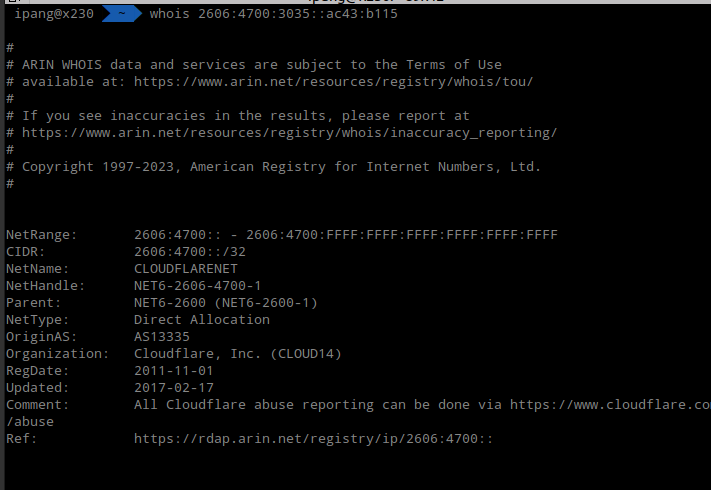
It Was Cloudflare IP, Not Your Server
How can I install Let’s Encrypt when my domain behind Cloudflare Proxy?
Solution
- Create Cloudflare API Token with
Zone:DNS:Editpermission
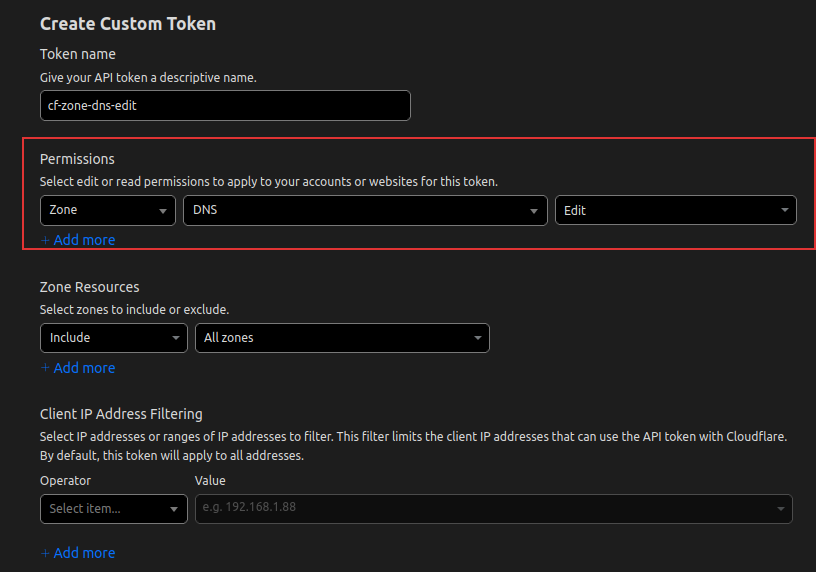
Zone:DNS:Edit Permission
Install certbot-dns-cloudflare
sudo apt install python3-certbot-dns-cloudflare.If you got error
certbot: error: unrecognized arguments: --dns-cloudflare-credentials, that mean python3-certbot-dns-cloudflare & it depedencies not installed correctly, usesudo apt install --reinstall python3-certbot-dns-cloudflare.Then create file
cloudflare.ini, you can put it anywhere but We will follow documentation, it will put in~/.secrets/certbot/cloudflare.inimkdir -p ~/.secrets/certbot, create new filevim ~/.secrets/certbot/cloudflare.ini
#mkdir -p ~/.secrets/certbot/
#put this file in ~/.secrets/certbot/cloudflare.ini
# Cloudflare API token used by Certbot
dns_cloudflare_api_token = yourCF_API_TOKEN
Change permission with
chmod 600 ~/.secrets/certbot/cloudflare.iniThen install using this
sudo certbot certonly --dns-cloudflare --dns-cloudflare-credentials /home/yourUSER/.secrets/certbot/cloudflare.ini   -d 'ipang.my.id'

#for multiple domain
sudo certbot certonly --dns-cloudflare --dns-cloudflare-credentials /home/yourUSER/.secrets/certbot/cloudflare.ini   -d 'ipang.my.id' -d 'sub.ipang.my.id'
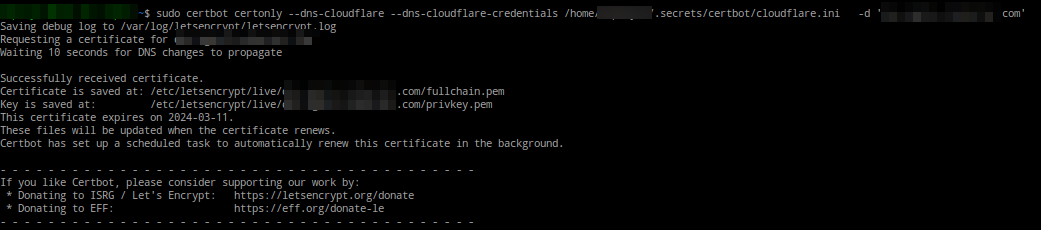
Certbot Install Success
References: