

Halo, kalau kamu merasa tulisan saya ngebantu kamu, kamu bisa ucapkan terima kasih lewat saweria.
Hello, if you find this article helpful, you can express your gratitude through saweria.
Instalasi Nomad
Kamu bisa lihat lengkapnya di dokumentasi Nomad
- Install dependensi package
sudo apt-get update && \
sudo apt-get install wget gpg coreutils
- Tambahkan HashiCorp GPG key
wget -O- https://apt.releases.hashicorp.com/gpg | sudo gpg --dearmor -o /usr/share/keyrings/hashicorp-archive-keyring.gpg
- Tambahkan repo HashiCorp
echo "deb [signed-by=/usr/share/keyrings/hashicorp-archive-keyring.gpg] https://apt.releases.hashicorp.com $(lsb_release -cs) main" | sudo tee /etc/apt/sources.list.d/hashicorp.list
- Install Nomad
sudo apt-get update && sudo apt-get install nomad
- Test dengan
nomad --help
Deploy Nginx
- Jalankan agent development di localhost dengan
sudo nomad agent -dev. Kamu bisa buka dashboard Nomad dilocalhost:4646
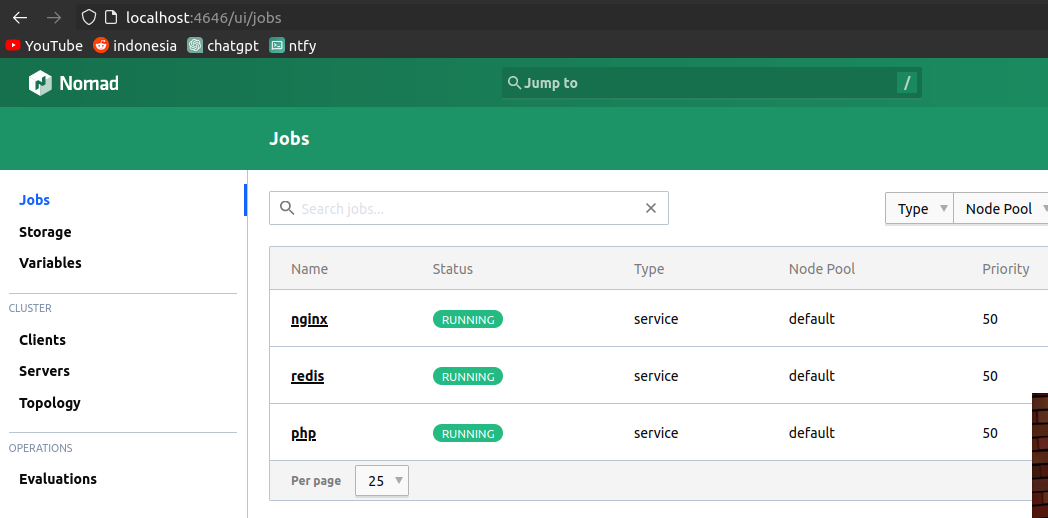
Nomad Dashboard
- Buat 1 file baru,
nginx.hcl
job "nginx" {
  datacenters = ["dc1"]

  group "cache" {
    count = 1

    network {
      port "nginx" { static = 80 }
    }

    task "nginx" {
      driver = "docker"

      config {
        image = "nginx:latest"
        ports = ["nginx"]
      }
    }
  }
}
- Jalankan
nomad job run nginx.hcl. Lalu buka browser, typinglocalhost
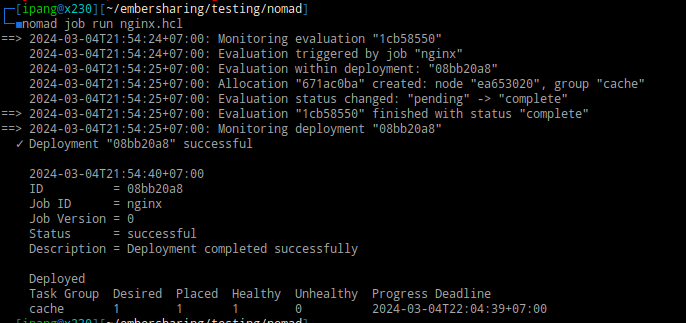
nomad job run nginx.hcl
- Cek detail service “nginx”,
nomad status nginx
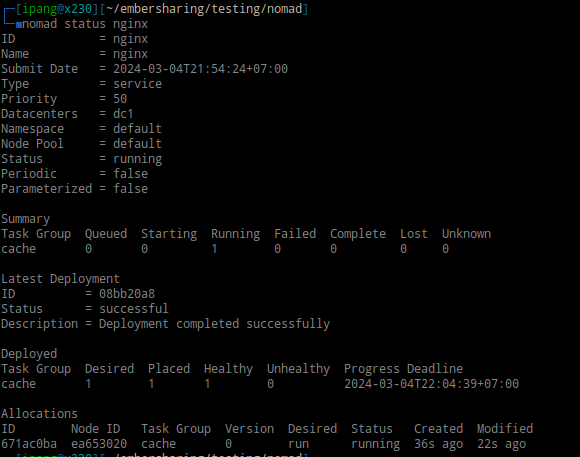
nomad status nginx
- Cek detail container “nginx”,
nomad alloc status ID
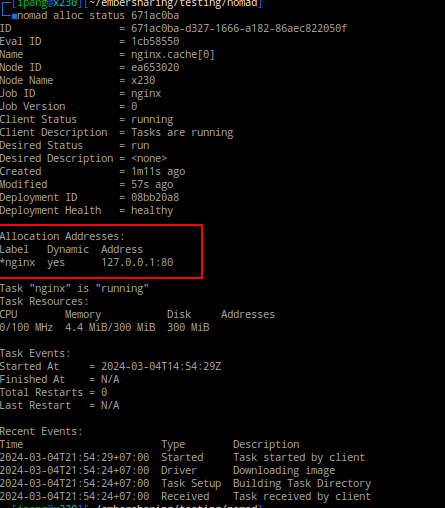
nomad alloc status ID
- Cek log container “nginx”,
nomad alloc logs -f ID
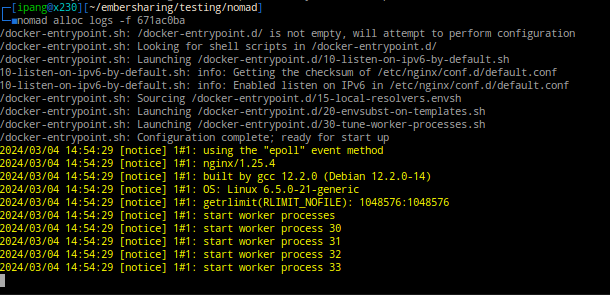
nomad alloc logs -f ID
Port Forwarding
- Buat file baru,
nginx-port-forwarding.hcl
job "nginx-port-forwarding" {
  datacenters = ["dc1"]

  group "app" {
    count = 1

    network {
      port "nginx-port-forwarding" {
          static = 88
          to = 80
          }
    }

    task "nginx-port-forwarding" {
      driver = "docker"

      config {
        image = "nginx:latest"
        ports = ["nginx-port-forwarding"]
      }
    }
  }
}
- Jalankan
nomad run nginx-port-forwarding.hcl
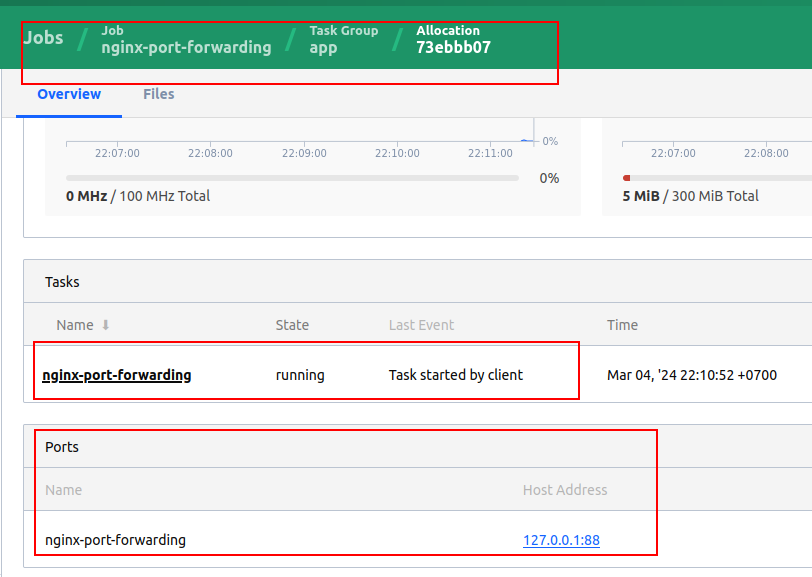
Silahkan buka di localhost:88
Random Port Deployment
- Buat file baru,
nginx-random-port.hcl
job "nginx-random-port" {
  datacenters = ["dc1"]

  group "app" {
    count = 1

    network {
      port "nginx-random-port" {
          to = 80
          }
    }

    task "nginx-random-port" {
      driver = "docker"

      config {
        image = "nginx:latest"
        ports = ["nginx-random-port"]
      }
    }
  }
}
- Jalankan
nomad run nginx-random-port.hcl

Random Port Deployment
Beberapa Command Nomad
#hapus & purge job
nomad job stop -purge nginx

nomad node status

nomad server members