

Halo, jika tulisan ini membantu Anda, Anda dapat mengekspresikan rasa terima kasih melalui saweria.
Hello, if you find this article helpful, you can express your gratitude through saweria.
Problem
When running php composer install --no-dev --prefer-source --no-interaction --no-progress --optimize-autoloader to install packages in a production setup, an error occurs: class 'Barryvdh\Debugbar\ServiceProvider' not found.
Even though the package “barryvdh/laravel-debugbar” is only required in development (it is listed only in require-dev), this error won’t disappear, and it makes you think “what’s wrong with my setup?”
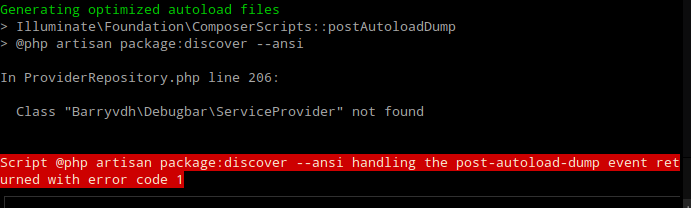
Class Not Found When Using composer install --no-dev, Even When It Is Only Listed In ‘require-dev’ In package.json
How To Fix It
Remove the “barryvdh/laravel-debugbar” package:
composer remove barryvdh/laravel-debugbar.Run
php artisan config:cacheto clear all debugbar configurations.Remove
Barryvdh\Debugbar\ServiceProviderfromconfig/app.php. (For Laravel 11 or newer, add the ServiceProvider inbootstrap/providers.php. For Laravel 10 or older, add the ServiceProvider inconfig/app.php.)Re-add the “barryvdh/laravel-debugbar” package as a development requirement:
composer require barryvdh/laravel-debugbar --dev.
References: